Platform · Optional module
The School → Home Pipeline
Two matched surfaces — a web Parent Guide on the PC and a WhatsApp chat on any phone — connecting caregivers to the homework and coaching their child is receiving at school. Grounded in the same school-approved content and the same metacognitive guardrails.
How it works
Why this matters
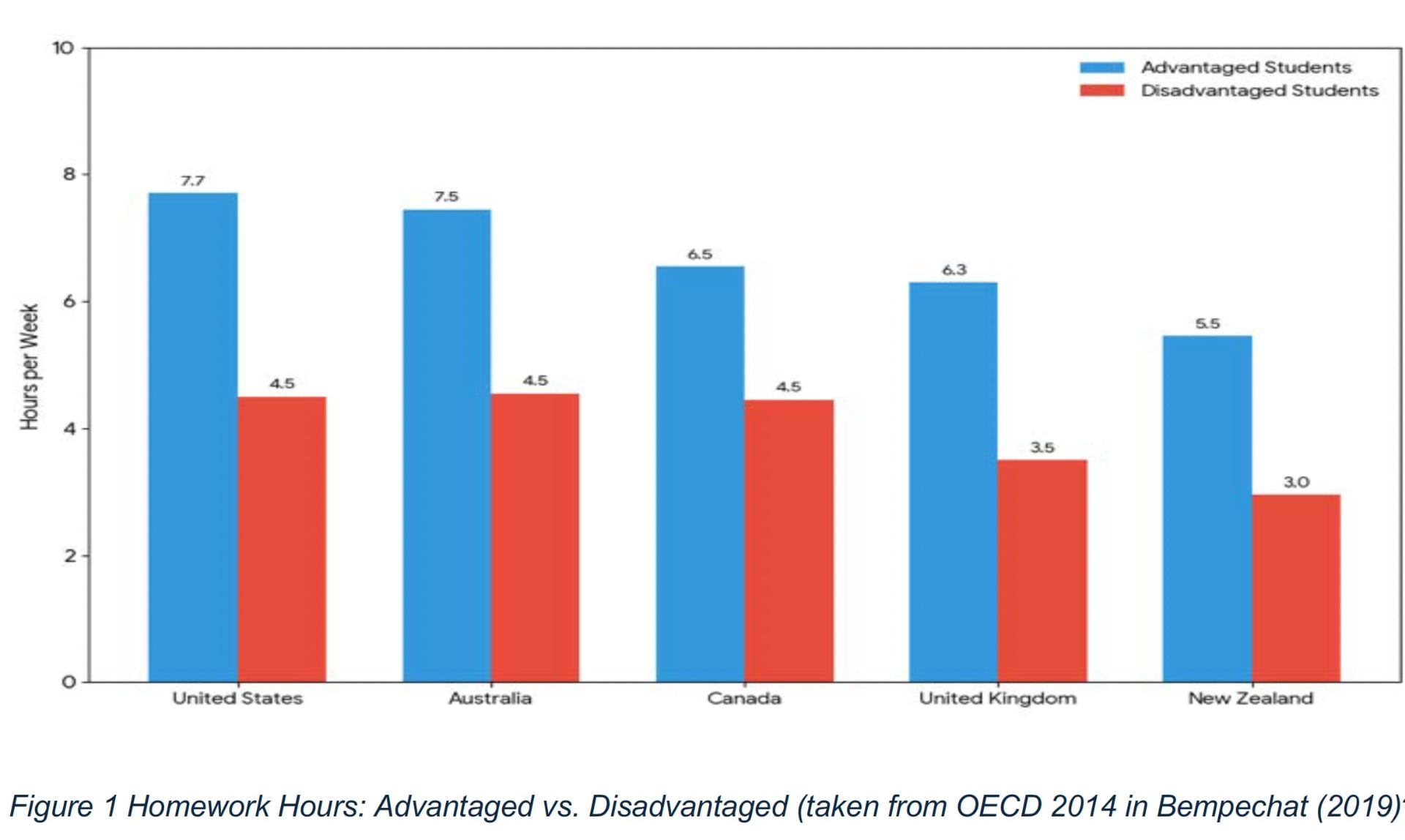
Research consistently shows that when pupils get stuck at home without support, they do less work and learn less. The gap is not about ability — it is about access to help. OECD data (2014, cited in Bempechat, 2019) shows disadvantaged pupils spending far fewer hours on homework than their advantaged peers, including in the UK.
A single unanswered question can derail a whole homework task. Without a trusted adult or scaffolded help, many pupils give up rather than risk getting it wrong.
Less practice at home means fewer opportunities to consolidate, self-quiz, and receive feedback. Small daily shortfalls accumulate into larger attainment gaps.
Not every caregiver has the time, subject knowledge, or English confidence to help. The pipeline puts school-quality scaffolding into the home without adding to teacher workload.
On the PC — Parent Guide web
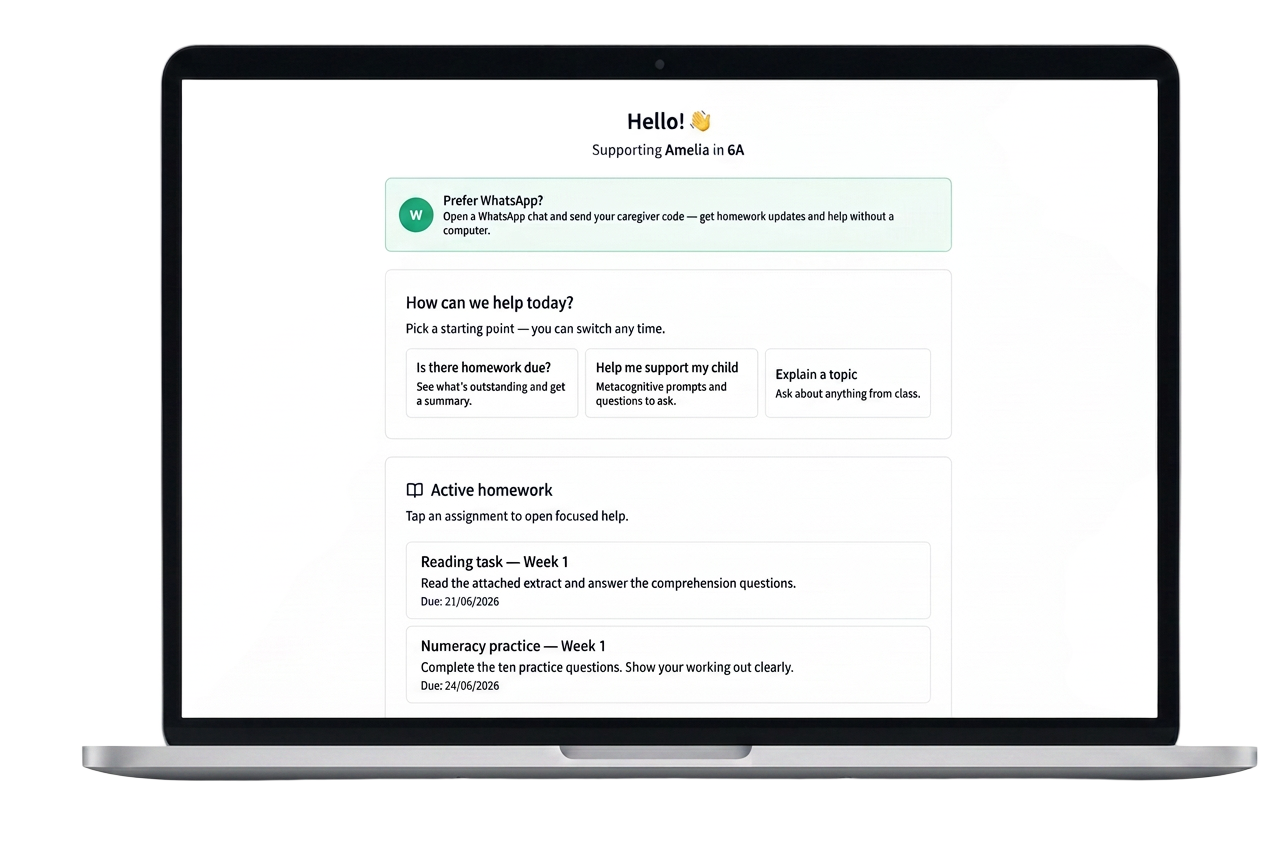
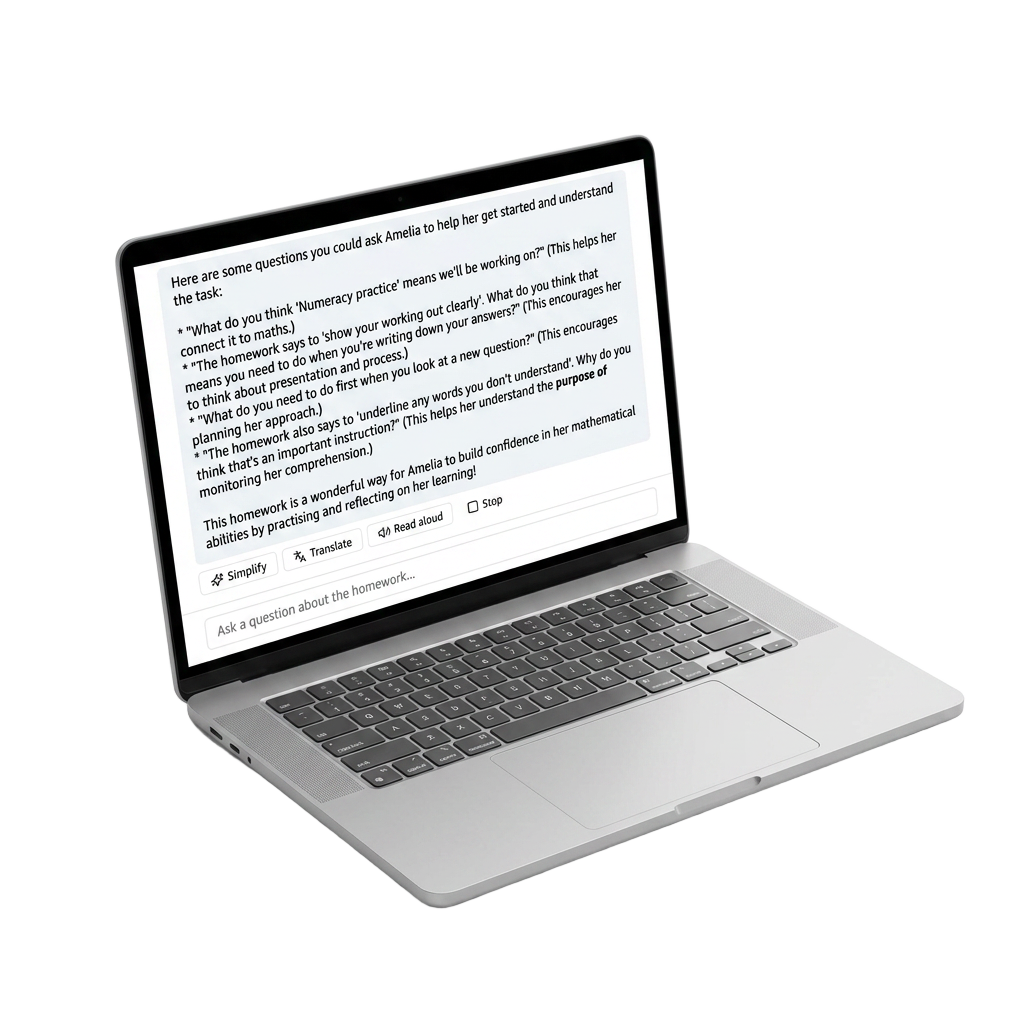
Caregivers sign in with their code and land on a dashboard of their child's active homework. Each assignment opens a focused chat where the AI helper can view the source PDF and coach the caregiver on how to guide their child — without ever giving the answer.
No app, no login. Just a WhatsApp message.
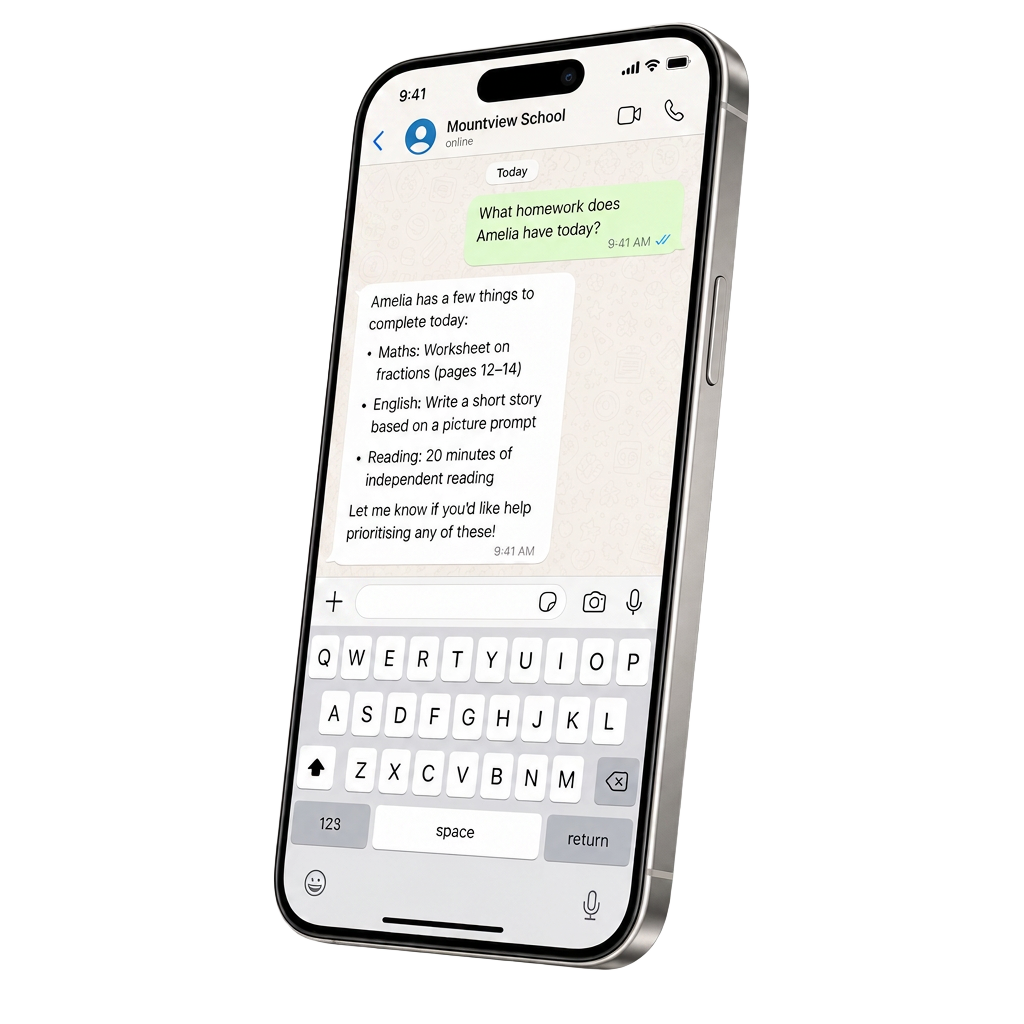
For families who don't want to open a browser, the same coach runs in WhatsApp. The caregiver sends their code once and can then ask about homework, get an overdue summary, or work through a task with the same metacognitive prompts.
- No app or login needed — works on any phone
- Homework summaries and overdue nudges on demand
- Same metacognitive coaching, same guardrails
Translations & accessibility
Any reply can be translated into the caregiver's home language with one tap — Polish, Urdu, Romanian, Somali and dozens more. Particularly useful for EAL families where the pupil's English is ahead of the parent's.
Turns the coach's reply into natural speech for caregivers with lower literacy, dyslexia, or visual impairments, or for use hands-free while helping a younger sibling.
Rewrites the coach's reply in plain, short-sentence English — useful when a caregiver finds the education vocabulary heavy.
Caregivers can ask "What's due?" and get a grounded summary drawn from the same homework the teacher published — no more guessing what's outstanding.
Rich depth — shaped by pupil attainment
This isn't a generic chatbot pointed at homework. Every conversation the caregiver has is shaped by the school's own picture of the pupil: their current attainment, the class trackers the teacher maintains, prior assessment marks, pupil support record where one exists, reading age, and the specific learning objectives attached to the task.
Replies for a Year 6 pupil working two years below age-related expectations look different from replies for a pupil on track for greater depth. Vocabulary, examples and the size of each next step all adjust automatically.
When the teacher records that a pupil has secured column addition but is still working on exchange, the coach uses that. Suggested prompts target the next specific skill, not "maths" in the abstract.
Where a pupil has a class provision map entry — for example, chunk instructions, allow processing time, avoid open questions — the caregiver's coach applies the same adaptations at home, keeping support consistent between school and living room.
The pipeline also captures signal back the other way. Questions caregivers ask, tasks that trigger the most confusion, and completion patterns feed into class-level insight the teacher and SLT can see — turning parent conversations into evidence of where a class needs re-teaching, not just anecdote.
Metacognitive by design
The AI never solves the homework for the pupil. It coaches the caregiver to ask questions that build understanding — for example, when a task says "show your working", the coach suggests the caregiver asks "What steps did you take to solve this problem?" rather than modelling the answer. This protects the pupil's thinking and keeps homework doing what the teacher intended.
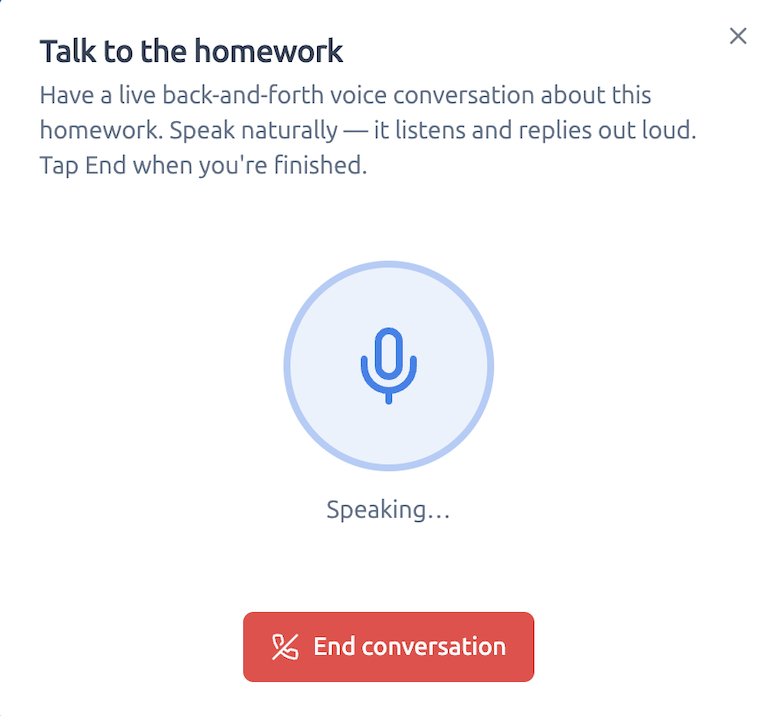
No typing. Just a voice conversation.
The caregiver can have a live back-and-forth voice chat about the homework. They speak naturally, it listens, and it replies out loud — still grounded in the same task and the same metacognitive coaching.
- Hands-free while helping a child or cooking dinner
- Replies shaped by the actual assignment, not a generic chatbot
- Same simplify, translate and read-aloud guardrails underneath
Control & privacy
- Fully optional — turn it on school-wide, per class, or for a hand-picked set of caregivers.
- Codes are issued (and revoked) by SLT or the class teacher. Losing a code doesn't expose pupil records.
- No pupil PII is required for a caregiver to use the pipeline; the coach works from the homework itself.
- DPA-aware: schools without a signed DPA see pseudonymised names in the school-facing views.
- Schools can review caregiver conversations for safeguarding and quality assurance.
- The pipeline never sends messages to caregivers unprompted — they always initiate the chat.
Book a short walkthrough and we'll set up a trial pipeline for one class.