Cookie Preferences
We use cookies to enhance your experience and analyze site traffic. You can choose which cookies to accept.
Turn your school data into instant classroom action.
The true power of AI should be guided through integration to serve the needs of your school community. Your school's vision, curriculum, policies, SEND information, and live student data create continuous and safe AI analysis to raise the attainment of every student, ready for teacher oversight.
Built for whole-school teams.
- MIS integration
- Microsoft Office and Google Docs integration
- Digital Individual Support Plans
- School-controlled
- School oversight built in
- Real time faded scaffolding
- 100% safe - no autonomous actions
- Pupil Leverage Action Points built into lesson planning and resources. Instantly.
- Talk to the Educational Intelligence Layer™!
- Options include pupil use, parent multilingual interactions, and an extensive library of world-class resources integrated into outputs
- Lesson plans built from your curriculum and library
- Marking with exam-board grade boundaries
- SEND Command Centre with live provision data
- Reports written from real assessment evidence
- Caregivers can talk to the homework
- Zones: live You Do screen monitoring
- Pupil tracking across every subject
- British voice read aloud for every resource
- Phase-aware planning from EYFS to KS5
Or call us on 020 4652 1500
AI guided by your school. Built-in, not bolted-on.
Teachers.guide works from your school's curriculum, policies, SEND information, assessments and priorities — because the best AI for your school should be woven and ring-fenced into the fabric of your school. Technical difficulty is made easy using your school's unique Educational Intelligence Layer. 100% safe - no autonomous actions.
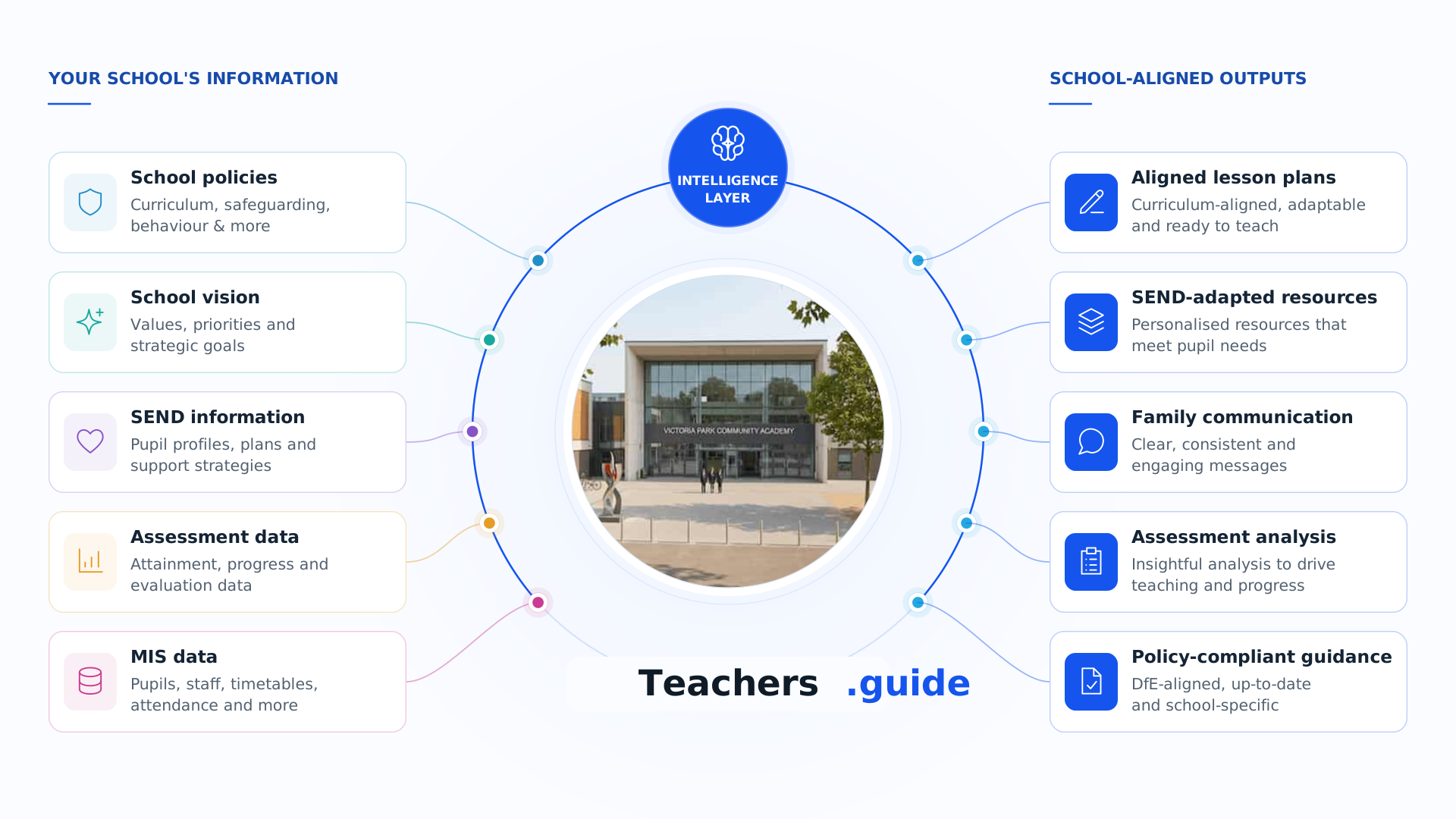
Seamless integration.
Teachers.guide connects directly to the systems your school already runs on — SIMS, Arbor, Bromcom, Google Workspace, Microsoft 365 and more — so AI works with your live information, not around it.
- Google Workspace integration
- Microsoft 365 integration
- SLT-controlled module access
Most teacher-facing AI tools provide none of these.
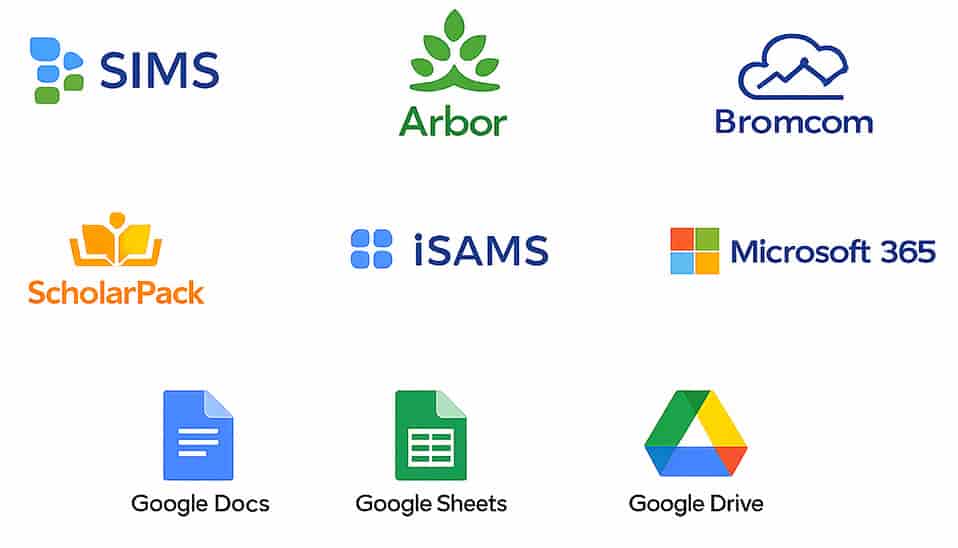
and many more
Not another AI tool. An educational intelligence layer for the whole school.
Most AI platforms help individual teachers create content. Teachers.guide helps schools decide how AI should behave.
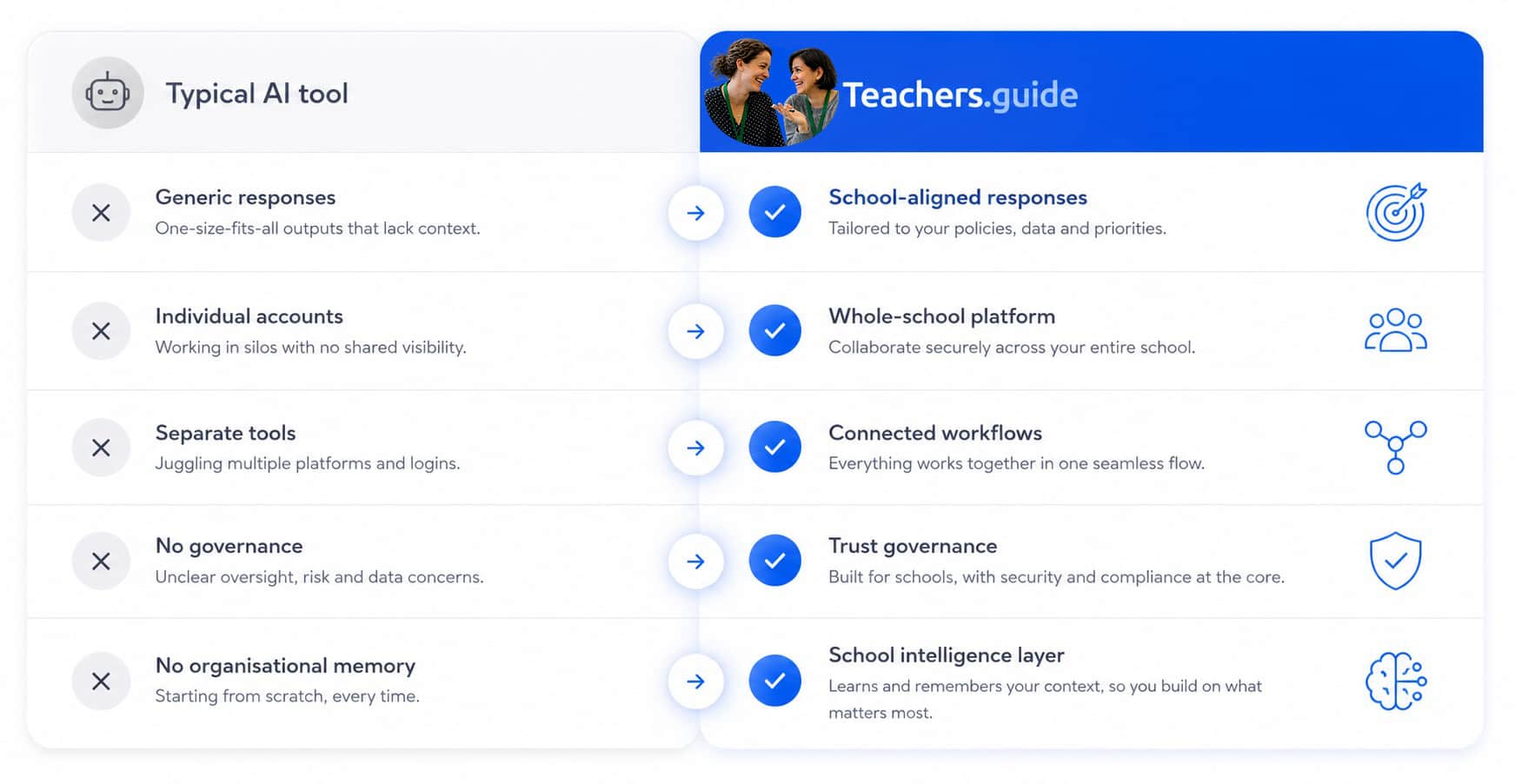
Comparison vs. typical teacher-facing AI assistants.
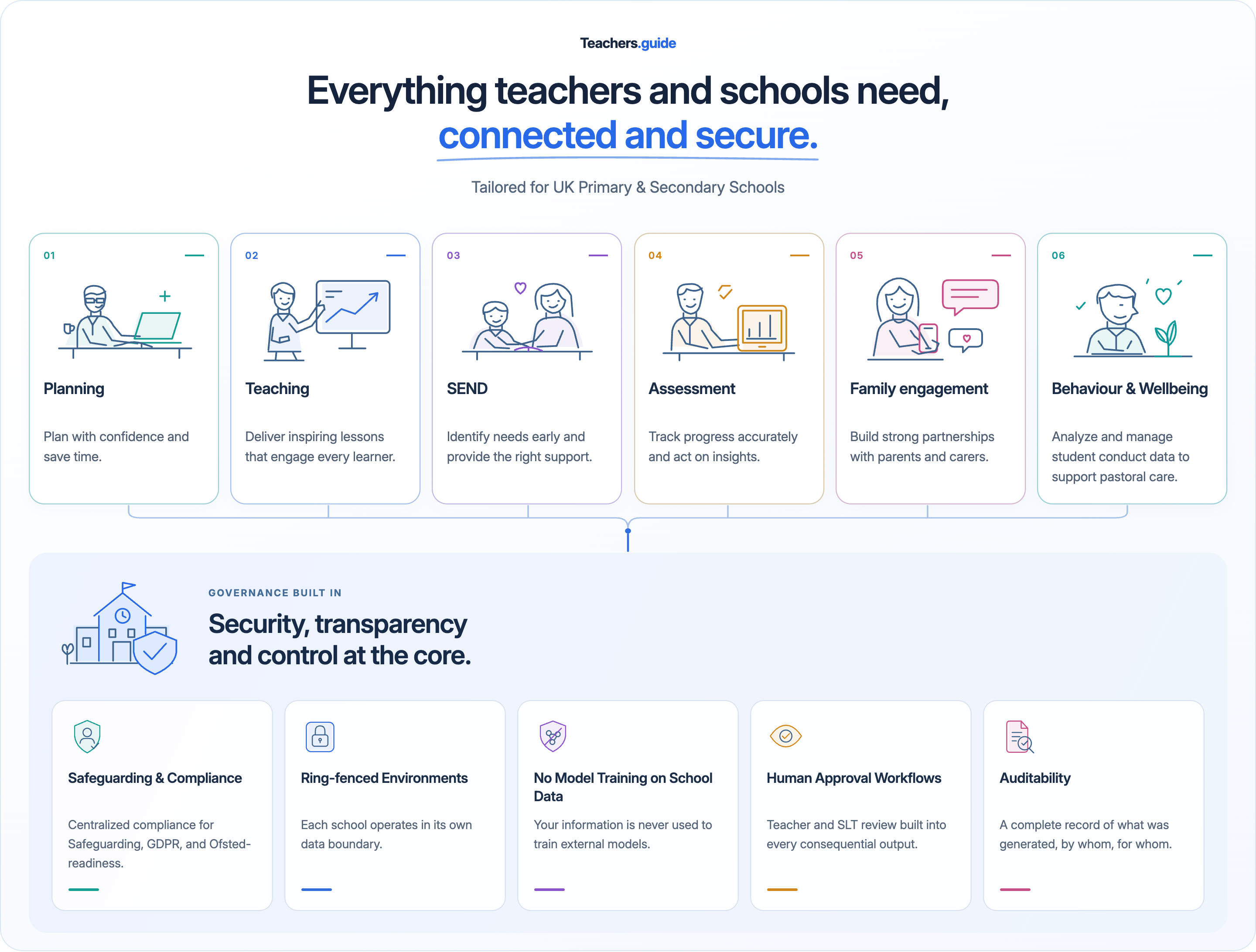
The unique system for school-controlled AI.
One platform. One set of rules. One version of your school's vision — applied consistently to planning, teaching, SEND, assessment, family engagement and governance.
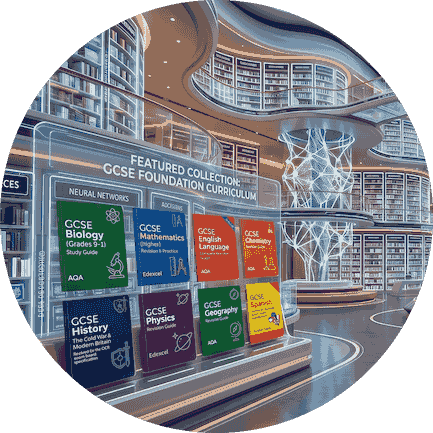
Incredible resources built in. Yours included
Teachers.guide is packed with curriculum-aligned, evidence-informed resources — from subject knowledge and exam-board guidance to SEND strategies and metacognitive scaffolds. For every task, the intelligence layer selects the right built-in resource, then layers in your school's own policies, documents and priorities so every output feels like your school. Custom add-ons of outstanding subject and pedagogy knowledge is in development.
- Curriculum-aligned resources selected automatically for each task.
- Exam-board guidance, subject knowledge and evidence-informed strategies built in.
- SEND scaffolds, metacognitive prompts and adaptive scaffolding strategies ready to use.
- Your school’s own policies, documents and priorities layered on top.
Zones - A real-time view of screens
Who's working, who's stuck and what they're writing – support the class in detail during independent work.
- Live pupil screen status for the current class task
- Mirror any pupil's draft as they type
- Send messages that pop up selected screens
The School → Home Pipeline
Homework, class updates and metacognitive support flow from the teacher straight to caregivers – on the web or in WhatsApp. Same guardrails, same coaching, no answers given.
Every reply is shaped by the pupil's own attainment, class trackers and SEND profile — so a Year 6 caregiver of a pupil working towards greater depth gets different coaching to a caregiver whose child is still in the process of securing understanding. Turn it on school-wide, or only for the caregivers you hand a code to. You stay in control.
OECD research shows disadvantaged pupils in the UK do roughly half the homework hours of advantaged pupils. When children get stuck at home without support, they stop sooner and learn less. The School → Home Pipeline closes that gap by putting school-quality scaffolding in the living room.
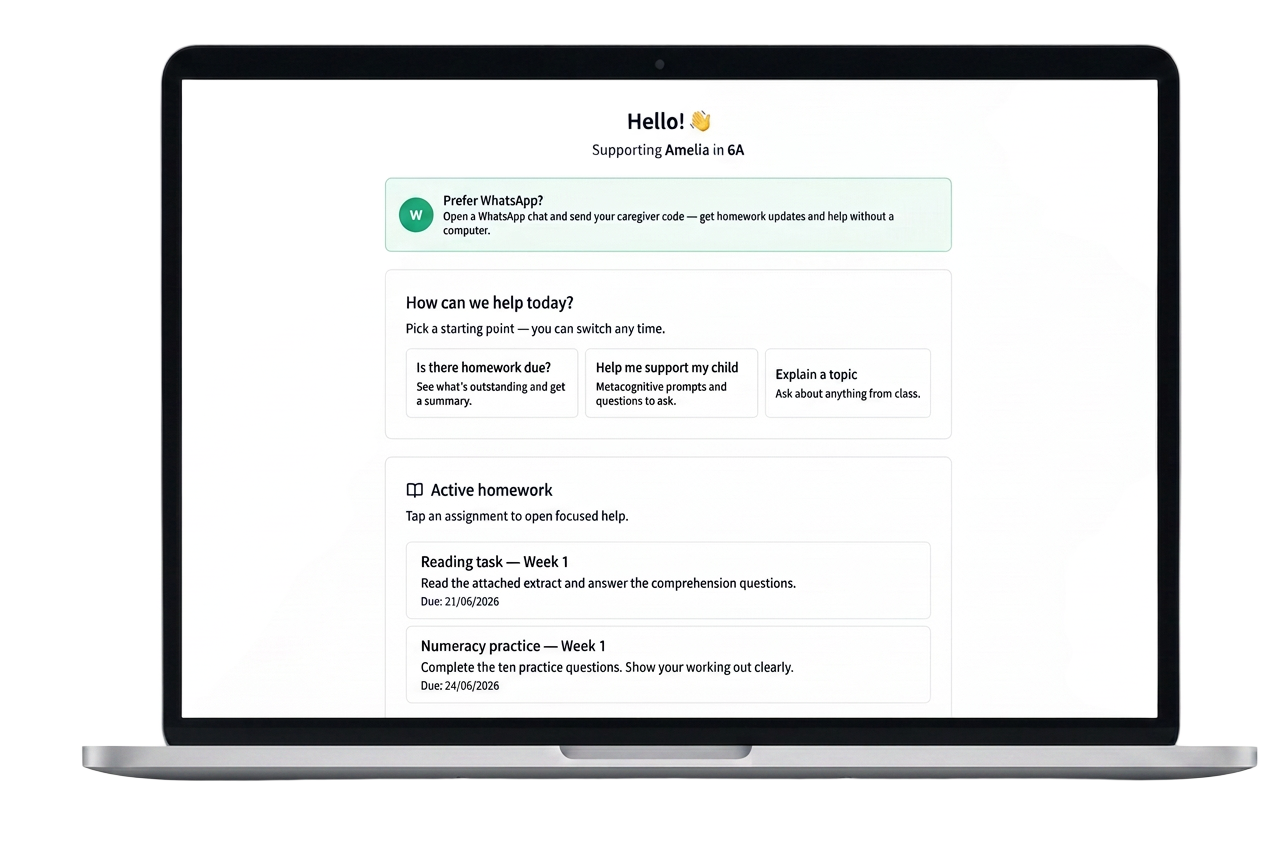
See exactly what's set — at a glance.
Caregivers sign in with a school-issued code and see every active assignment for their child, with clear starting points for how to help.
- Live view of active homework per child
- One-tap starting points — “Is there homework due?”, “Help me support my child”, “Explain a topic”
- Optional WhatsApp handoff for parents without a computer
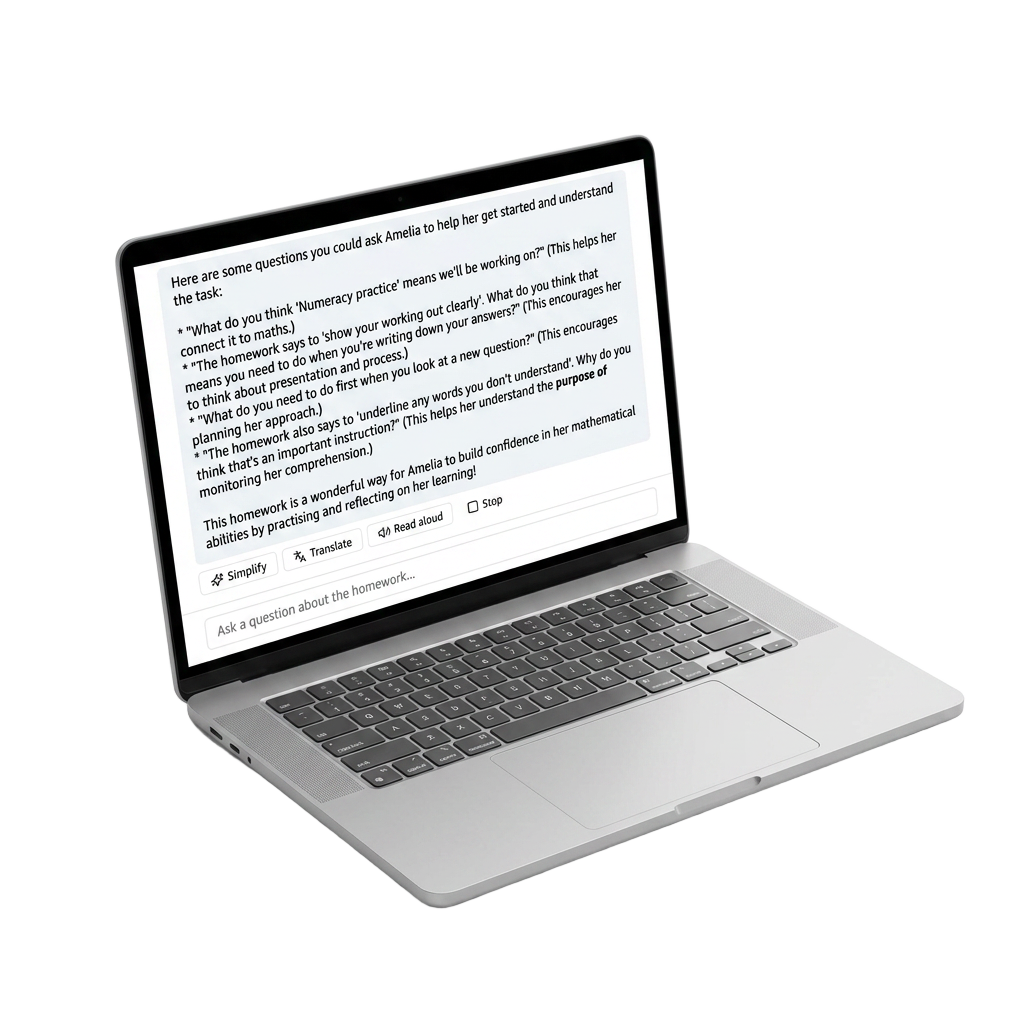
All parents can now support children when 'stuck'
Every reply is grounded in the actual assignment PDF and gives the parent metacognitive prompts they can use with their child.
- Metacognitive prompts — parent-facing, never speaks to the child
- Simplify · Translate · Read aloud on every reply
- Grounded in the source the teacher attached, with no extra work for the teacher to extend help to in the home
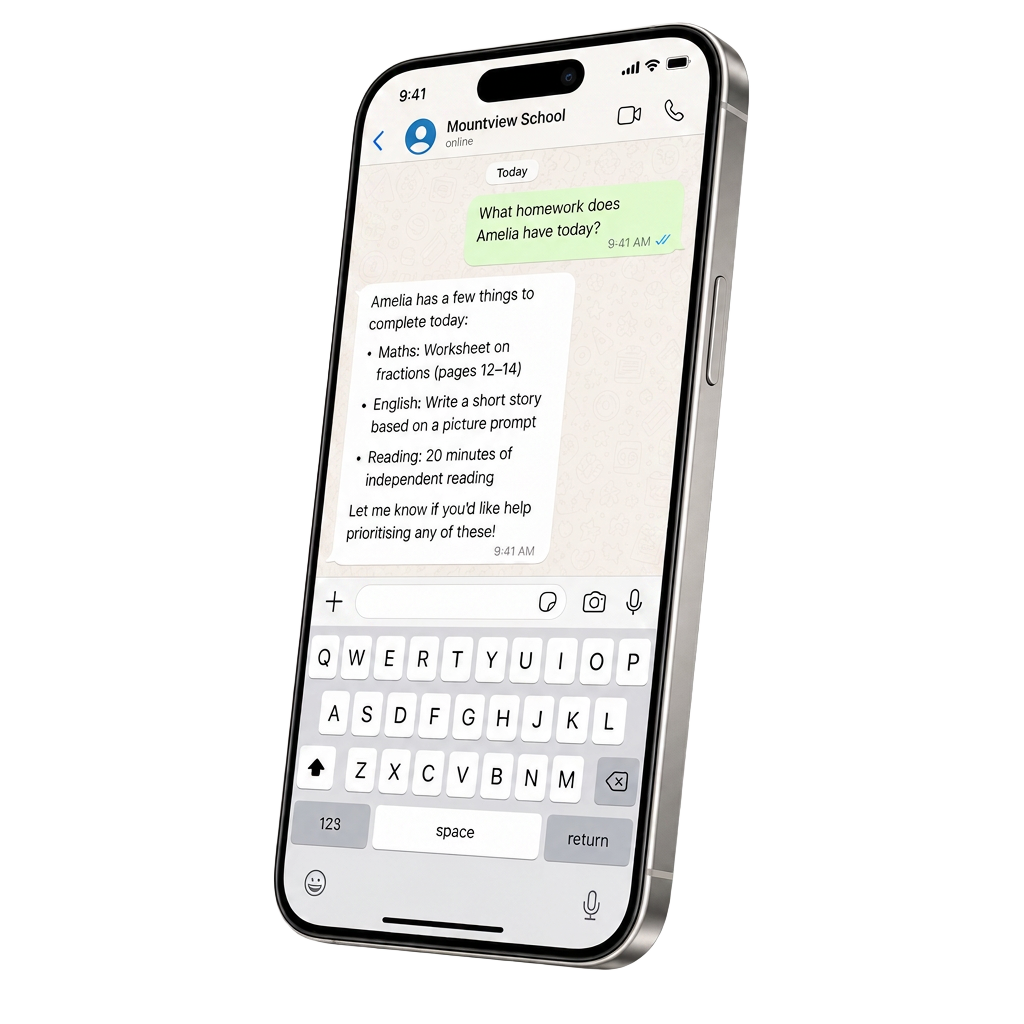
No computer at home? Parents can use a WhatsApp message
The caregiver sends their school code in a chat and gets the same coach — grounded in the pupil's homework, attainment, and provision map.
- Uses parent code supplied by the school matched to the child – works on any phone
- Homework summaries and overdue nudges on demand
- Same metacognitive coaching, same guardrails as the full platform
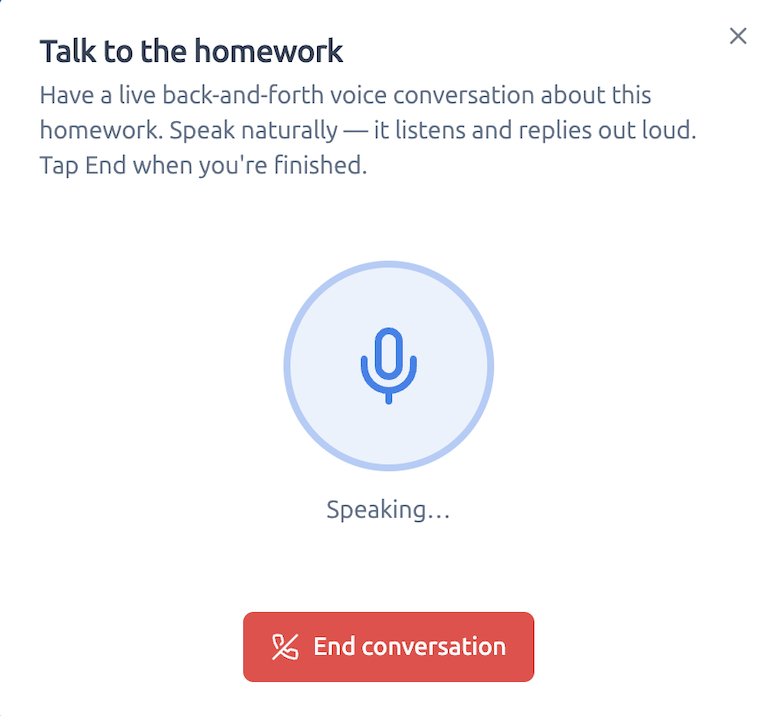
No typing? Then just a voice conversation!
The caregiver can have a live back-and-forth voice chat about the homework. They speak naturally, it listens, and it replies out loud — still grounded in the same task and the same metacognitive coaching.
- Hands-free while helping a child or cooking dinner
- Replies shaped by the actual assignment, not a generic chatbot
- Same simplify, translate and read-aloud guardrails underneath
Optional. Enable school-wide for every student and caregiver, or issue codes to selected families only — for example EAL parents, or families you're supporting through an intervention.
Explore the pipelineTwo joined-up surfaces: a Digital ISP for the pupil, StoryPath for every lesson.
The Digital ISP holds the pupil's support record — needs, strategies, family and pupil voice, review evidence. StoryPath turns any teacher-uploaded text into accessible pathways for that pupil. One record, one approval flow, one place for families to see what's actually in place.
Pathways draw on the pupil's Digital ISP so the scaffold matches the record.
Pathways are reviewed and approved by the teacher before pupils see them.
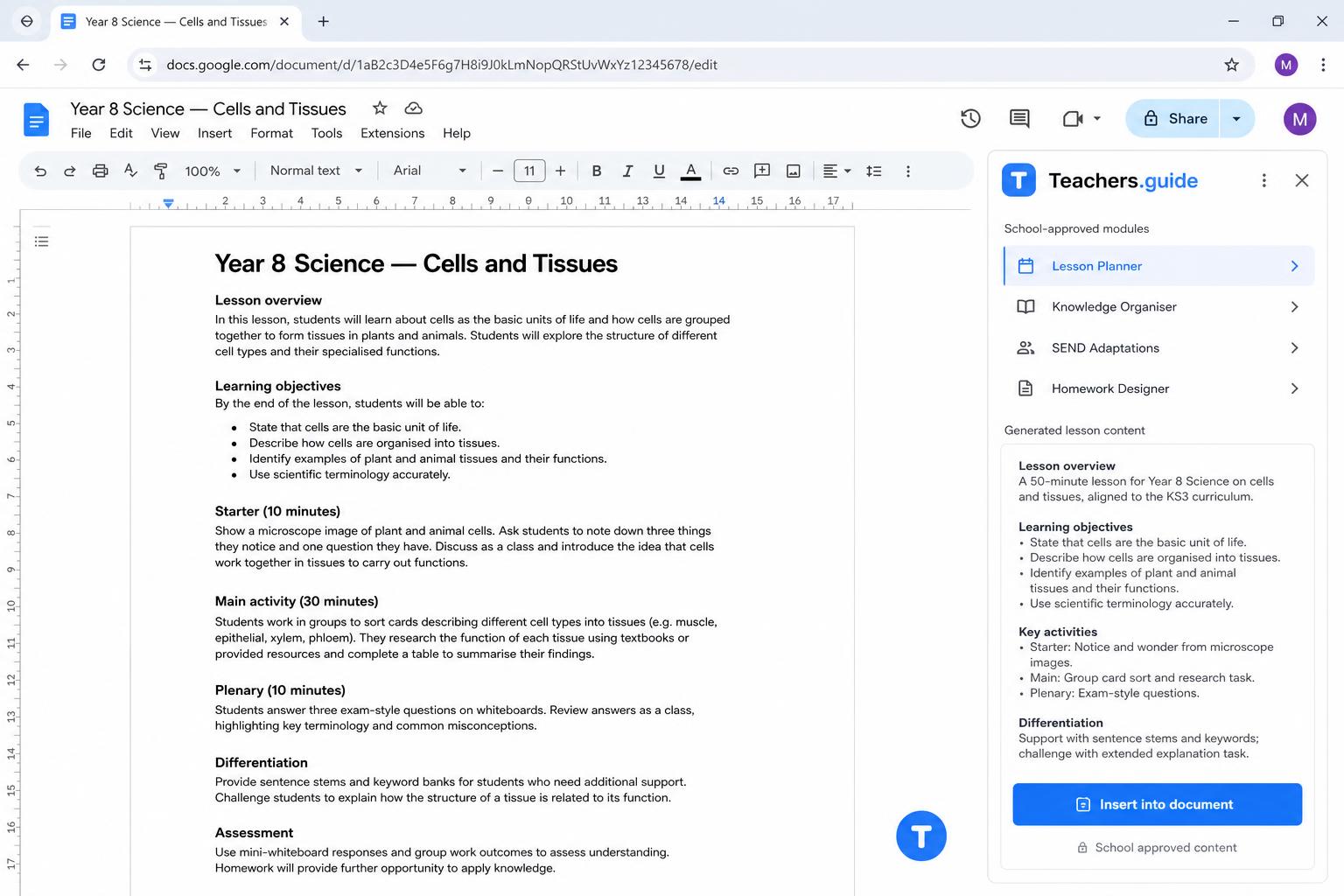
Inside Google Docs. Not another tab to remember.
Teachers.guide opens as a side-panel in any Google Doc. The same school-controlled modules, the same SEND awareness — without leaving the document they are planning in.
- Floating launcher inside every Google Doc — no copy-paste, no app-switching.
- Only your school-approved modules appear. Teachers cannot reach unvetted AI.
- Generated text inserts straight into the document, in the teacher's voice.
Microsoft 365 / Word support on the roadmap.
Your school's data, kept where it belongs.
Teachers.guide is built on a tight, school-first data model. Every school is isolated at the database layer. Every role sees only what it needs. Every caregiver logs in with a code, not a pupil name.
SLT controls which modules are enabled, who holds a caregiver code, and can revoke access at any time. Schools without a signed DPA see pseudonymised pupil names in school-facing views by default.
This page describes controls currently enabled in Teachers.guide. It is not an independent certification.
Data lives in a secure infrastructure.
Every request between browser, app and database is served over TLS.
Every table enforces per-school isolation at the database layer, not just in code.
Teacher, SLT, Head of Year, Office, Safeguarding, Student and Parent each see only what their role allows.
Parents sign in with a school-issued code — no pupil PII required to use the Parent pipeline.
Trial-school data is automatically purged after 24 hours as GDPR-aligned housekeeping.
One education intelligence layer. Every school in your trust.
Trust-wide SEND visibility. Trust-wide AI governance. Trust-wide policy alignment. Trust-wide resource sharing — without flattening what makes each school distinctive.
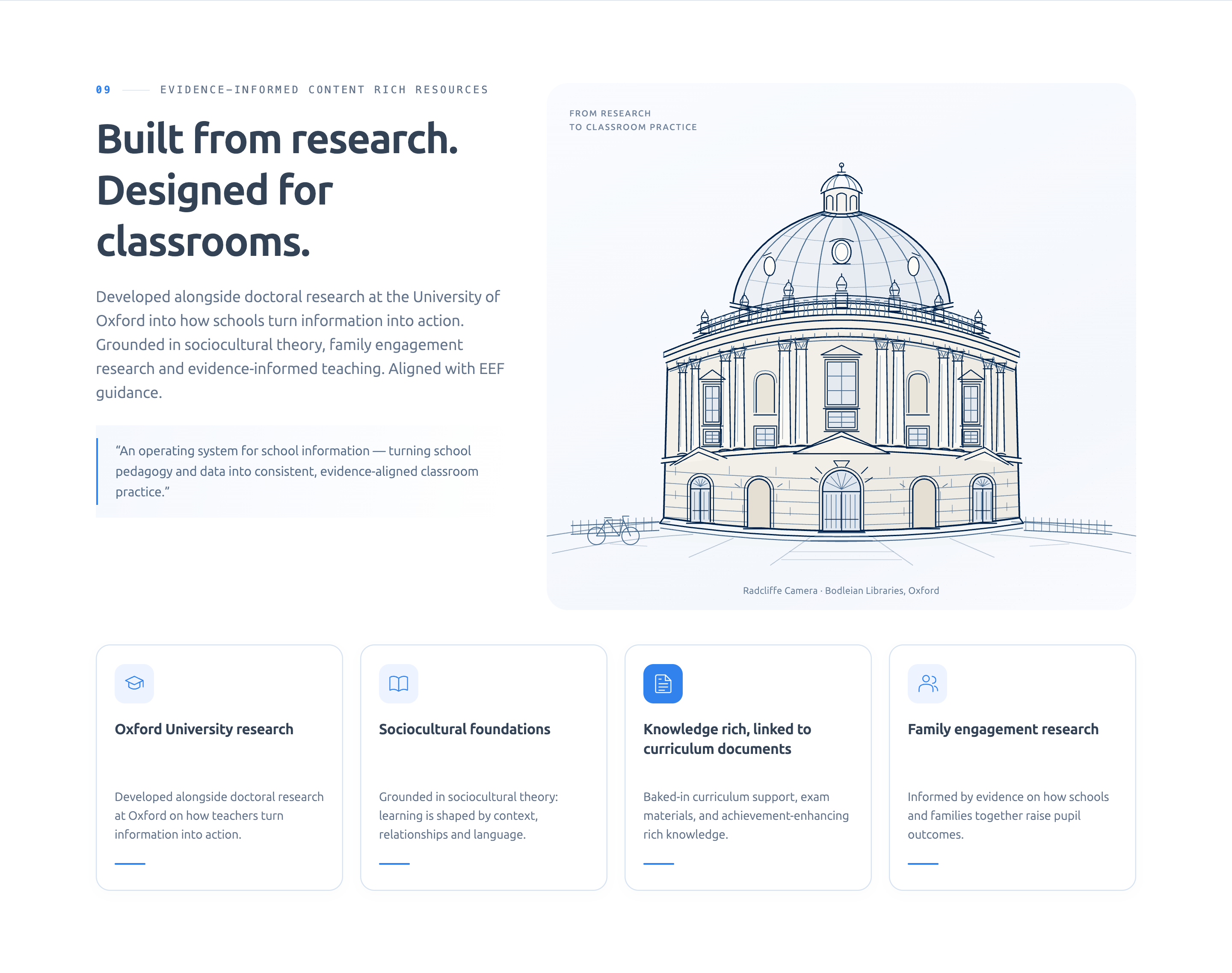
Why schools choose Teachers.guide
The non-negotiables for AI in education — built in, not bolted on.
- No LLM training on your school's data
- Ring-fenced school environments
- Human oversight built in
- DfE-aligned approach to AI use
- School-controlled governance, teachers guide the platform, and can edit or re-run results
- GDPR-aligned
- Works alongside existing systems — full interoperability
- SEND StoryPath
- Built-in resources library that can be expanded at teacher, department, or whole-school level
- Your system - uses your vision, policies, and targets
- Optional school to home automated pipeline supporting parents to support homework via computer or WhatsApp
- Easy operation user interface — clicks, sliders, text. No need for prompt engineering. Coming soon: speak and describe what you need — typing will be optional!
Your school's Educational Intelligence Layer™.
Turn school information into classroom action. Book a personalised demo or start a free pilot.
Or call us on 020 4652 1500